UNSCALED DEEP DIVE - MESARYTH
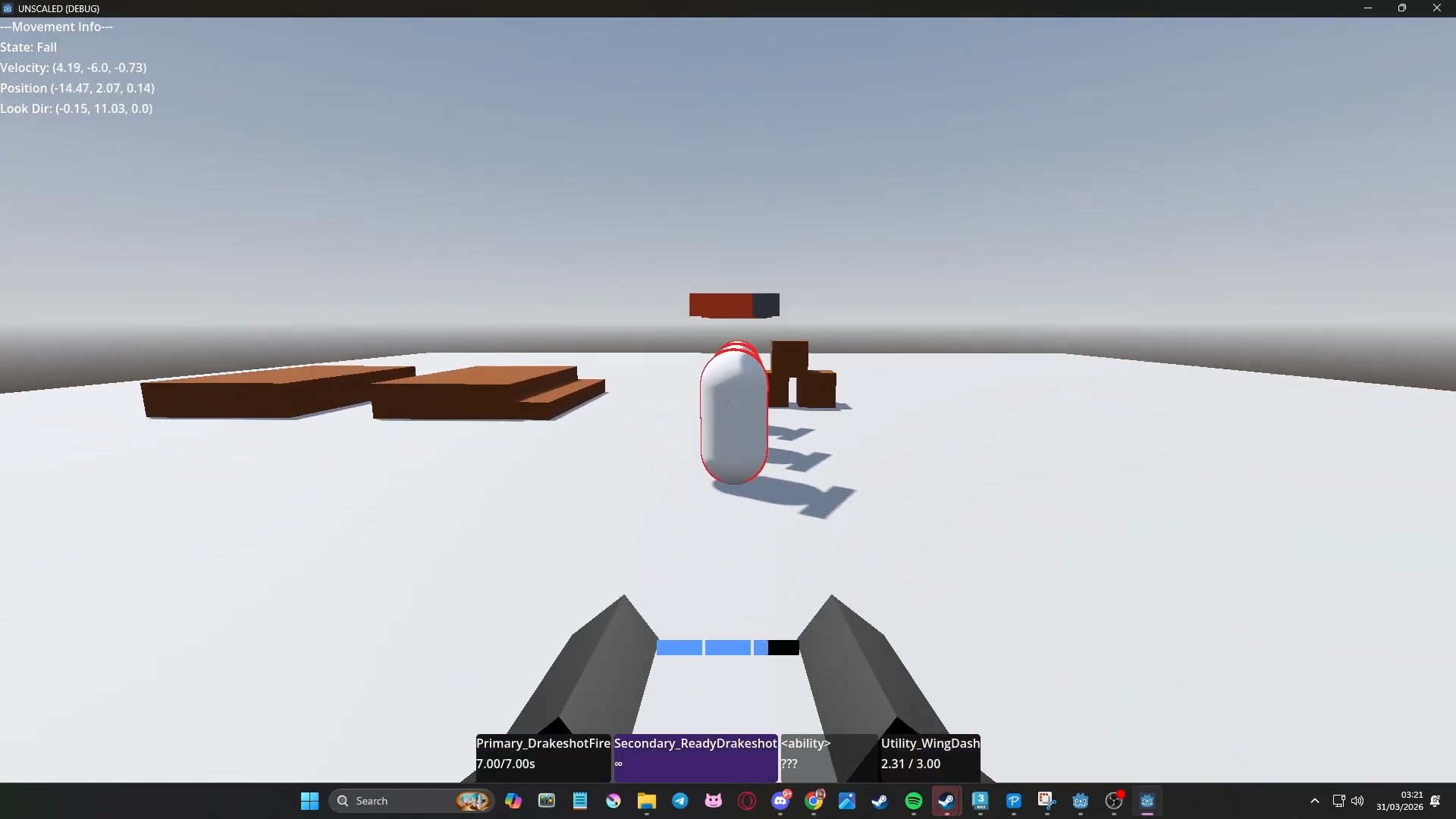
Welcome back! This entry is more of a deep dive into how the characters kits will work. But if you want a quick visual, check out the embedded gameplay footage below!
The Character Design Bible
I made a design bible very early on to help me lay some rules for what is and isn't a good match for the game. At the time of writing this, I had only made the 3 main rules that cover many aspects of character design, each with its own reasons and examples.
No Slow Characters
Certain archetypes are traditionally slower paced - the turret engineer characters, the snipers. Characters that have a very slow tempo obviously don’t work in a movement shooter, but this can be turned on its head!
Reasoning
Positioning and dodging is by far the best defence strategy when enemies are diving you, and balancing defensive abilities like shields is difficult. Slow = death, intentional or not
Example
‘The turret guy’ - maybe your turrets form a network of ziplines to zip across the map?
Sniper - Maybe you have a teleport ability that lets you escape after taking a second to line up a shot?
No Reloading
Reloading, in the sense of ‘an animation that takes away your access to all of a character's primary damage output’ is banned! In other words, primary or secondary should always have some sort of use at all times.
Reasoning
It takes away from the flow of combat without adding much strategy
It adds unnecessary animation and code
Examples
Rather than penalising players for using their primary, reward players for using their other abilities effectively!
Maybe the primary damage is low and gets a buff during a ‘rage’ phase.
Everyone is an Oddball
Every character should be strange in some way! No John Human-Fighters, they don’t have to be super wacky and bizarre in every way but they should stand out.
Reasoning
The story of the game revolves around your character getting revenge for being betrayed, hence their collective name. Having a varied cast of characters helps cater to every players taste and personal experiences. More relatable characters, more impactful story, more memorable and transformative player experience.
Examples
Some easy ways to achieve this:
Silhouettes - Asymmetrical, non-bipedal
Species - Fantasy, alien, robot etc.
Weapons & Abilities - Unusual projectiles, weird status effects, transformations
If they are human, they have a weird weapon. If they have a regular sword, maybe it transforms!
The 6 input rule.
I also had more technical rules.To keep the game accessible and consistent input-wise, I devised a new golden rule for characters kits:
Each character has active 6 abilities. Each ability only has one assigned input or 'key' at a time. Therefore, only these 6 keys can contribute directly to abilities (the only exceptions being the unrelated WASD movement and camera controls).
But wait, Mesaryth has two different uses for her primary fire inputs!
- Usual - shoot alternating pistol shots
- Fire a big cooldown shot when aiming with secondary fire.
There solution lies in the wording: Each character has 6 active abilities. If we allow the currently active abilities to swap, more complex characters can still follow the rule.
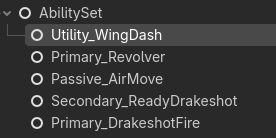
Here is Mesaryth's ability set with two primary abilities. By default, her active primary will be the basic revolver shot, but this is changed when the Secondary_ReadyDrakeshot is activated:
# Start ability function in Secondary_ReadyDrakeshot.gd
func start_ability()->void:
	super()
	aiming_drakeshot.emit()

	# Swap primary ability to the actual drakeshot fire
	old_primary = this_character.ability_set.primary
	old_primary.ability_disabled = true # Disable regular revolver fire primary

	ability_active = true

	if !ability_active:
		return

	# Enable the drakeshot fire primary ability
	this_character.ability_set.primary = drakeshot_primary
	print("Drakeshot ready!")
A lot more code goes into linking the two abilities, handling weird exceptions and interrupts etc. but this is the general flow of ability 'transformations'! I hope to use this to make complex but conistent ability combos. For example, a werewolf character who swaps between ranged combat and a more primal slash attack when a temporary ability is activated.
Miscellaneous Additions
Crosshair + Healthbar UI Shaders
I've made two shaders for the game: A crosshair canvas_item (UI) shader and a spatial healthbar shader. I did the crosshair first as it its relatively simple, for now only drawing a basic circle. I plan to extend this shader greatly, using paramaters for lots of user customisation such as adding extra lines, rings etc.
shader_type canvas_item;

// Simple crosshair shader. Can use the control's rect_size to change
// the crosshair size (recommended around 2x2px to 16x16 px)

uniform sampler2D SCREEN_TEXTURE : hint_screen_texture, filter_linear_mipmap;

uniform bool use_dot = true;

uniform float dot_radius = 0.1;
uniform vec4 dot_color : source_color = vec4(1.0, 1.0, 1.0, 1.0);
uniform bool dot_invert = true;

uniform bool use_dot_outline = true;
uniform float dot_outline_width = 0.005;
uniform vec4 dot_outline_color : source_color = vec4(0.0, 0.0, 0.0, 0.9);


bool draw_dot(vec2 uv) {
	float e = pow(uv.x-0.5, 2.0) + pow(uv.y-0.5, 2.0);
	if (e < dot_radius){
		return true;
	}
	return false;
}

bool draw_dot_outline(vec2 uv){
	float e = pow(uv.x-0.5, 2.0) + pow(uv.y-0.5, 2.0);
	if (e > dot_radius-dot_outline_width && e < dot_radius){
		return true;
	}
return false;
}


void fragment() {
	COLOR = vec4(0.0);
	if (use_dot){
		if (draw_dot(UV)){
			if (dot_invert){
			    // Get the current screen color
			    vec4 screen_color = texture(SCREEN_TEXTURE, SCREEN_UV);
			    // Invert the RGB components, keep Alpha the same
			    COLOR = vec4(1.0 - screen_color.rgb, screen_color.a);
			}
			else{
				COLOR = dot_color;
			}

		}

	if (use_dot_outline){
		if (draw_dot_outline(UV)){
			COLOR += dot_outline_color;
		}
	}
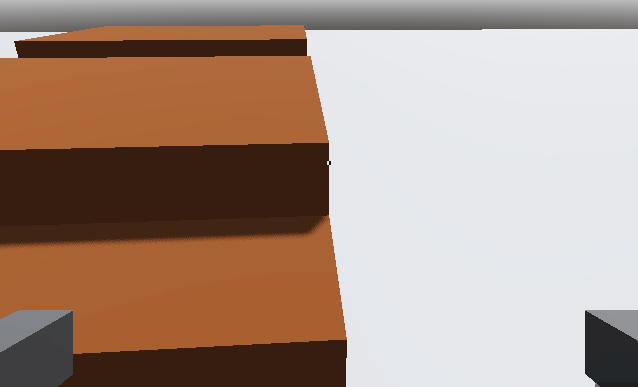
Below is the crosshair with invert_dot enabled.
Healthbars are just as barebones currently, but will be updated as the HealthPool becomes more complex!